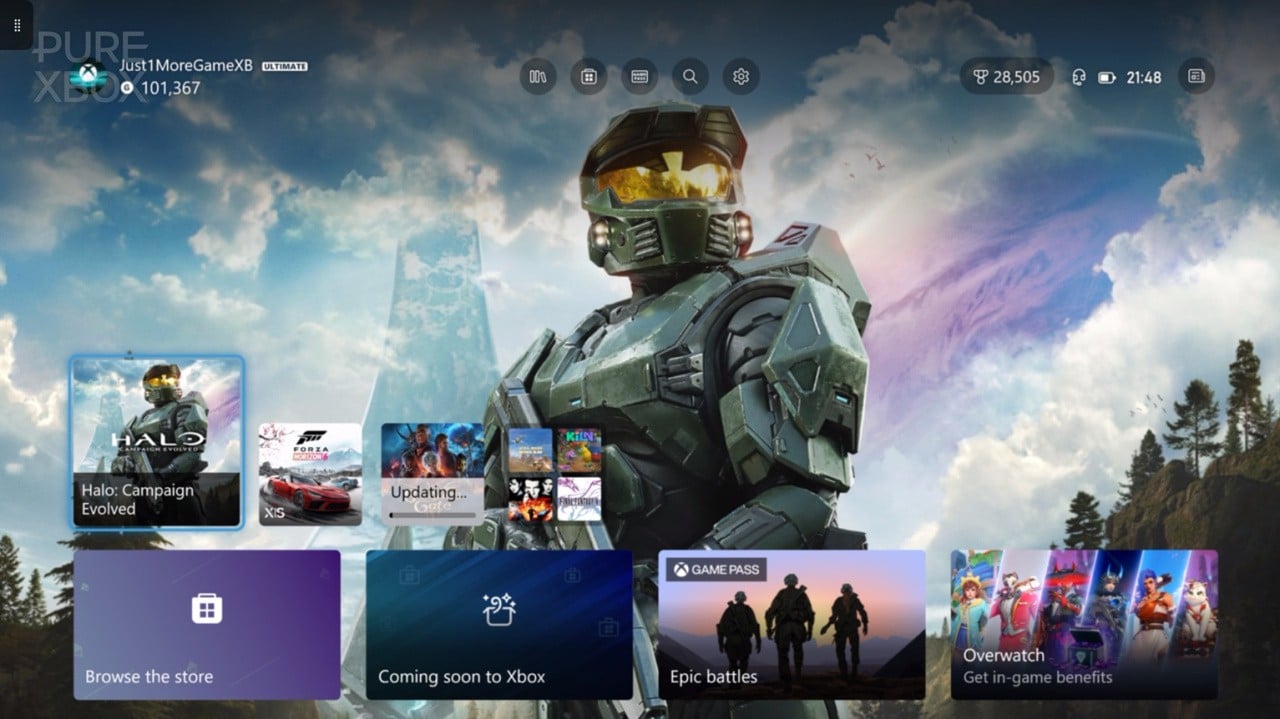
Image source: Competitor Portal / Google News (Used for representation purposes only)
Introduction to the Latest Xbox System Update
The new Xbox system update is officially live
, rolling out six distinct dashboard features and legacy fixes to players across Xbox Series X|S and Xbox One consoles today.
You can grab the download immediately by jumping into your Settings menu or simply wait for the automatic install to hit your machine overnight. While many monthly patches focus purely on backend stability patches, this release brings genuine user-facing perks that make navigating your library and tracking your library history much smoother.
After testing with Xbox Insiders over the last few weeks, Microsoft is pushing these quality-of-life improvements straight to the public update branch. Whether you care about legacy save files, game discovery, or visual flair, there is something practical here for everyday play.
Deep-Dive Details: Breaking Down All Six Features
Let us break down the six additions included in this rollout and how they work when you boot up your console.
- 1. Direct 'Play Via The Cloud' From Xbox Wishlist: Browsing sale items on your Xbox Wishlist now features an instant cloud streaming button. If a title supports Xbox Cloud Gaming and sits in your Game Pass catalog, you can launch straight into gameplay without installing a single gigabyte.
- 2. Restored Legacy Windows Phone Games History: In a fun nod to mobile gaming history, your profile achievement history now correctly enumerates and displays classic Windows Phone games alongside Xbox 360 and modern titles without broken metadata.
- 3. Older Cloud Saves Recovery Fixes: Microsoft addressed an annoying corruption issue affecting older cloud saves on backward compatible titles. The new save-handling logic resolves sync conflicts when jumping between retro Xbox 360 titles and modern hardware.
- 4. Dynamic Subscription Badges: Your digital shelves now feature clean Subscription Badges on game tile artwork. This lets you see at a glance whether a game in your library belongs to your permanent library, Xbox Game Pass, or EA Play.
- 5. Overhauled Manage Installation Menu: The Manage Installation screen received expanded filters, making it faster to trim down multi-part games, delete unused campaign files, and clear temporary blueprinted reserved space.
- 6. Enhanced Game Hubs and Social Tracking: Game Hubs now provide clear mutual friends activity, community screenshots, and personalized achievement tracking directly on the game landing page.
Video Analysis: Dashboard Improvements in Action
In my own testing on Xbox Series X, the new cloud integration on the Xbox Wishlist feels snappy. Being able to test a game over cloud streaming before buying or committing to a 100 GB download saves serious time and storage headaches.
Impact on Gamers: Better Discovery and Retro Care
This Xbox system update focuses on functional utility rather than marketing fluff. For multi-device players who jump between console, PC, and cloud setups, the streamlined installation tools and cloud triggers eliminate daily friction.
The preservation fixes for older cloud saves and Windows Phone legacy achievements prove that retro support remains a genuine priority for the platform. It is refreshing to see backward compatibility quirks resolved years after legacy titles launched.
The update is available right now globally across all modern Xbox consoles. If your console has not triggered the update automatically, head to Settings > System > Updates to start the download manually.
Frequently Asked Questions
How do I manually trigger the August Xbox update?
Open the Settings menu on your Xbox console, navigate to System, select Updates, and choose Update Console if a new build is available.
Do the new Subscription Badges work on external storage drives?
Yes. The badges display across your entire unified library view regardless of whether games are installed internally, on expansion cards, or on USB storage.
Will the older cloud saves fix help my Xbox 360 backward compatible games?
Yes. The patch resolves sync and corruption issues that previously occurred when downloading legacy Xbox 360 saves from cloud storage.
Conclusion
This August Xbox update delivers practical, everyday upgrades that improve library navigation and protect long-term game progress. Which of these six new features are you most excited to use on your dashboard? Let us know in the comments!
Frequently Asked Questions (FAQ)
Q: How do I manually trigger the August Xbox update?
A: Open the Settings menu on your Xbox console, navigate to System, select Updates, and choose Update Console to start the download.
Q: Do the new Subscription Badges work on external storage drives?
A: Yes, badges show across your entire library regardless of whether games are stored internally or on external USB drives.
Q: Will the older cloud saves fix help my Xbox 360 backward compatible games?
A: Yes, the update fixes cloud save syncing and data corruption errors for retro backward compatible titles.
Published on: 27 August 2026 | Author: Kabir | Context source: Google News
About the Author: Written by Kabir, an avid gamer and game reviewer with 8+ years of experience across PC and console gaming.
Editorial Guidelines:
This post was researched and drafted with AI assistance. It has been reviewed, polished, and verified by our editorial staff for accuracy and first-hand insights.
Comments
Post a Comment